In elke online editor, zo ook in Printess, is Font Management c.q. lettertypebeheer geen detail, maar een randvoorwaarde voor succes. De keuze in lettertypes is voor de gebruiker essentieel en bepaald de uitstraling van het ontwerp.
It is important that the right fonts are available for the right designs. For example, a blank greeting card that users can design themselves should offer a wide selection of fonts. Whereas a company brochure or business card should only offer fonts that are consistent with the brand.
It is essential that what the user sees on the screen is 100% in line with what is ultimately produced. Whether it is a printed mug, a T-shirt, or an invitation to a business event. Good font management also ensures correct transfer to production processes. This is important to prevent errors and extra costs and to guarantee an efficient process.
Font Management in Printess
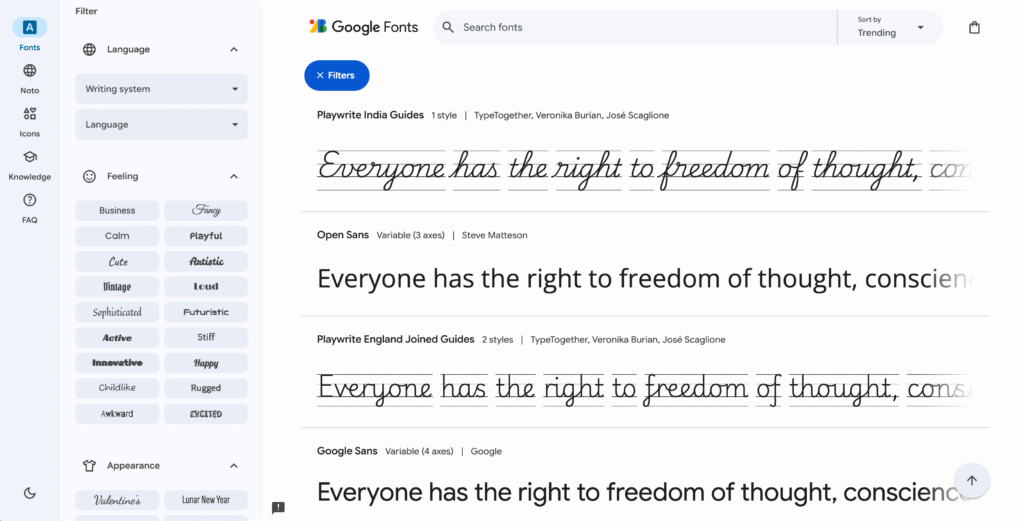
Printess ondersteund alle OpenType Fonts (OTF) en TrueType Fonts (TTF). In het geval van gelicenseerde fonts is het belangrijk dat deze licentie(s) ook aanwezig zijn. Printess behandeld fonts vanuit een technisch oogpunt en kan geen controle uitvoeren op de aanwezigheid van de juiste licenties. Een goede licentievrije bron van fonts, is de fontbibliotheek van Google. Zie onderstaande afbeelding. Deze bibliotheek bestaat uit ± 1.700 fonts, in alle mogelijke stijlen. Deze fonts mogen volledig rechtenvrij worden toegepast, zo ook commercieel. Alle Google fonts kunnen worden gebruikt binnen Printess.
Resources in Printess
In Printess kan per soort artikel, of zelfs per individueel artikel, een template worden gecreëerd. De template bepaald de functionaliteit die de gebruiker ter beschikking heeft om een specifiek artikel te personaliseren. De template bepaald ook de preview (het voorbeeld) en de output (het bestand voor productie).
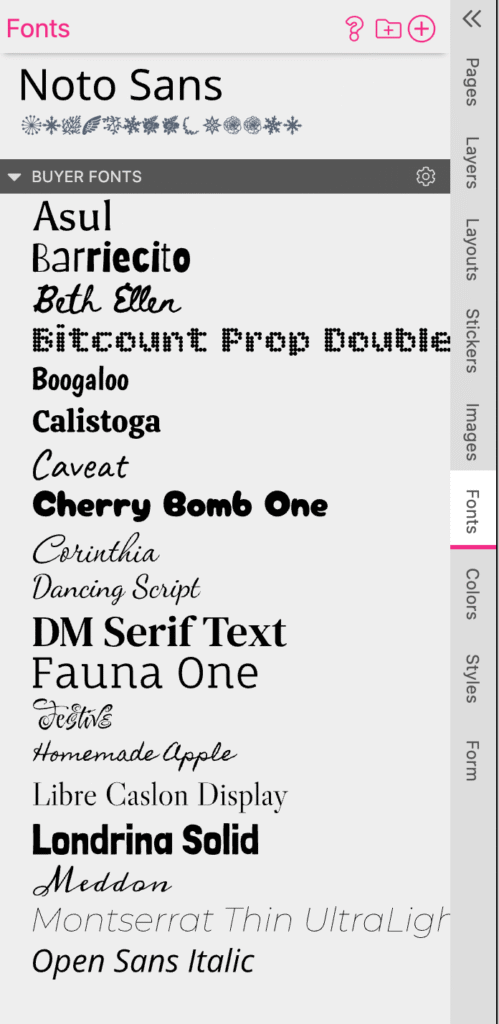
Een template bevat ook mogelijke resources. Zie de tabs aan de rechterzijde in onderstaande schermafbeelding. Dit zijn de resources c.q. bronnen binnen een Printess template, vanuit het Designer interface.
Resources include pages, layers, templates, stickers, images, colors, styles, and fonts. The image above shows the fonts available in the relevant open Template. Fonts such as the Google Fonts described above can easily be added to the template.
Flexibility for visitors/customers
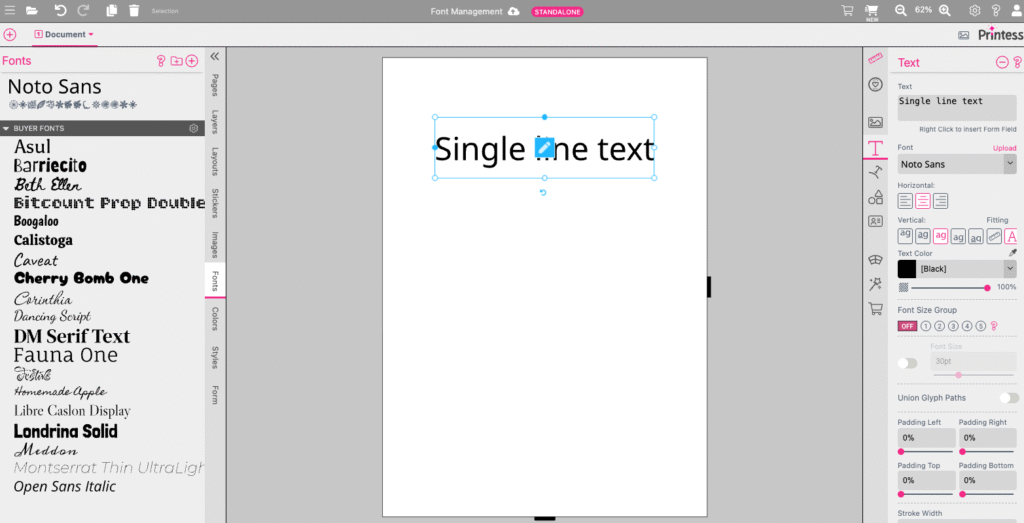
In de Printess Designer client kan de betreffende template geheel vorm worden gegeven. Qua tekst zijn hierbij meerdere type tekstobjecten toe te voegen, waaronder Single Line Tekst en Multi Line Tekst. Onderstaande afbeelding toont een voorbeeld van een Single Line Tekst object, waarbij aan de rechterzijde een aantal basisinstellingen zichtbaar, waaronder het gekozen lettertype.
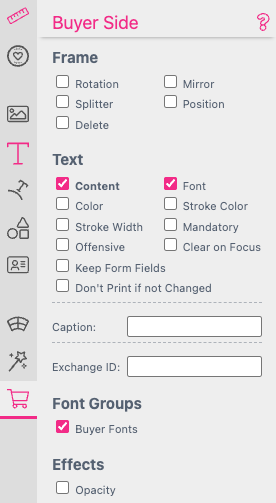
For each individual object in the design—in many cases even individual parts of objects—it can be determined whether the visitor is allowed to change this from the user interface. The image below shows some of the possible settings relating to the changes that visitors can make themselves. Because the Content function is selected, visitors can change the content of the object, i.e. the text. Because the Font function is selected, visitors can also change the font.
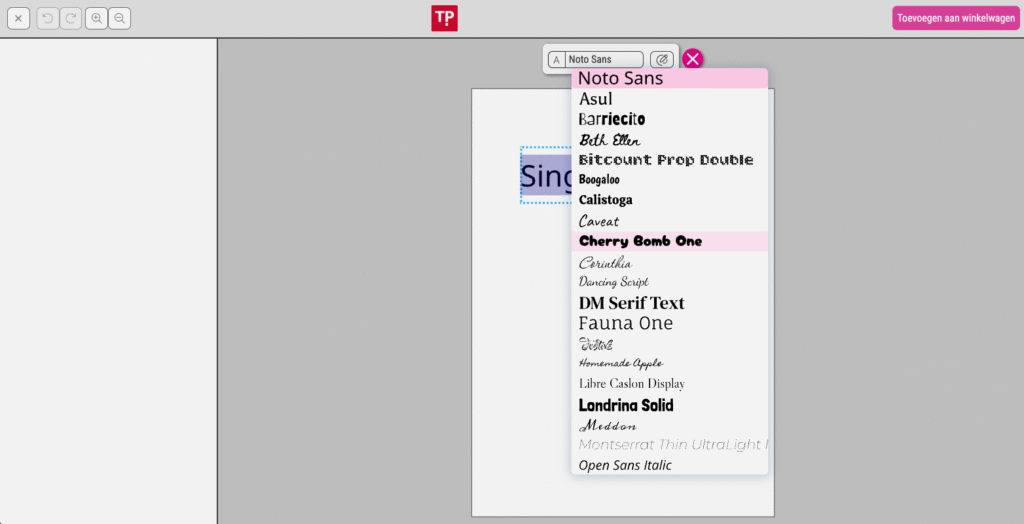
The image below shows the interface for the visitor, where the visitor has the option to change the text in question and select a different font. The fonts visible in this list are the fonts that were previously added to the Template.
This allows visitors/customers to be offered optimal flexibility. Depending on the application, it is possible to determine exactly which fonts are made available.
Resource Libraries
Printess is bedoeld om zowel kleinere als grotere organisaties te bedienen en te voorzien van de meest krachtige personalisatie-technologie. Zo is het mogelijk dat een organisatie gebruik maakt van enkele Templates en is het mogelijk dat een organisatie gebruik maakt van vele tientallen zo niet honderden Templates. Op dat moment is het wenselijk om lettertypes niet in elke individuele template onder te brengen maar om deze centraal te beheren. Op dat moment kan er gebruik worden gemaakt van zogenaamde Resource Libraries.
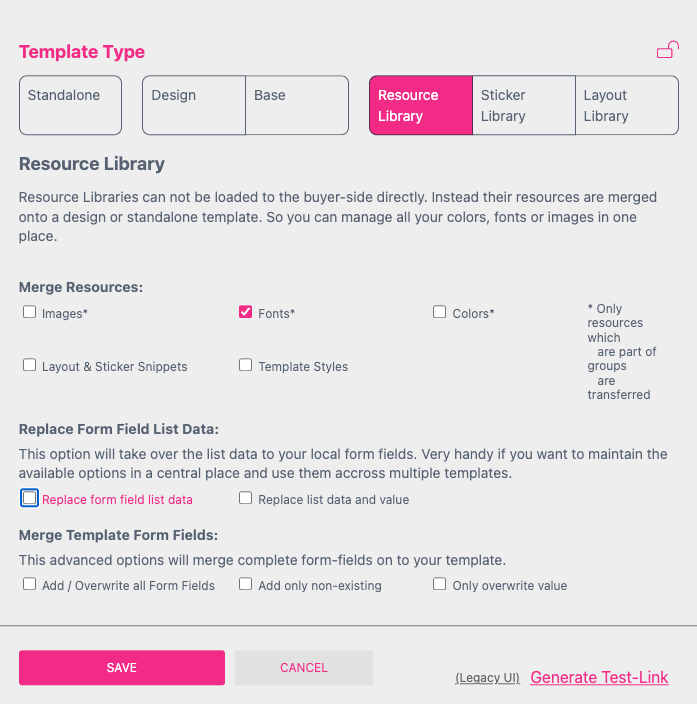
A Resource Library is a special type of template that allows certain objects to be managed centrally and then made available locally. The image below shows a number of settings for a Resource Library, which can contain images, fonts, colors, stickers, and templates.
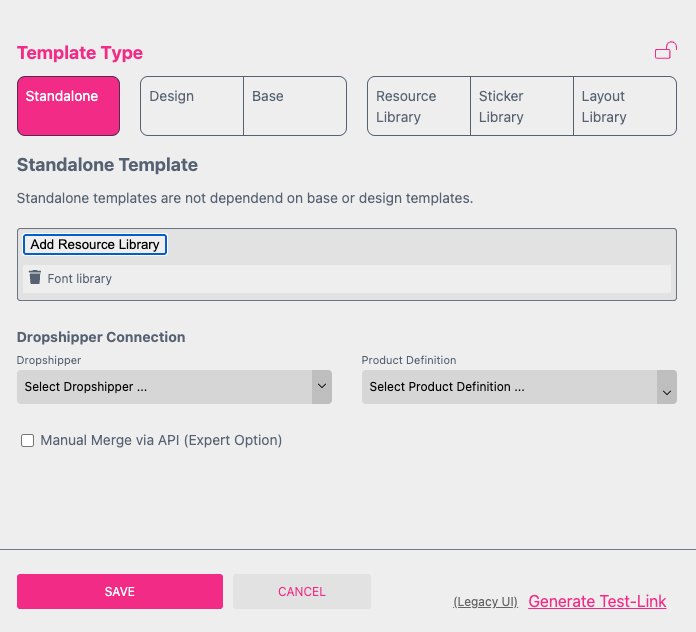
A Resource Library can then be "linked" to multiple templates. This offers the major advantage that fonts, for example, can be stored centrally, with multiple templates then using the central library. In this way, fonts can be maintained in one central location. If a new font is added to the Resource Library, it is immediately available in all templates linked to that library. See the example below.
If there are multiple product groups, each requiring different font choices, it is possible to work with multiple font libraries. By then linking each library to the correct templates, fonts can be managed centrally for each product group.
Font Management is een voorbeeld van een functie binnen Printess, wat Printess onderscheid van veel Editors in de markt. Printess is een zeer doordacht platform, geschikt voor organisaties van elke omvang.