Providers of customizable items often have a wide range of product types available. Each product group—and in many cases each individual item—has its own specifications. A T-shirt simply has different possibilities than a mug or a greeting card. Printess designed for these types of environments, where the online for the visitor must be 100% tailored to the item to be personalized. It is very important that the environment remains manageable, stable, fast, and, of course, ready for further growth.
Whether you, as a supplier—for example, a manufacturer or online store—have a very broad but shallow range, or a very narrow but deep range. Or perhaps both broad and deep. Printess suitable for all these environments. Printess with so-called "templates." A template contains all the options available to the visitor to personalize the item in question.
This article provides a brief introduction to this very broad topic. The possibilities within Printess particularly wide-ranging and suitable for organizations that 'only' want to personalize a piece of jewelry, as well as organizations that offer hundreds, if not thousands, of different items.
Designer & Buyer Side
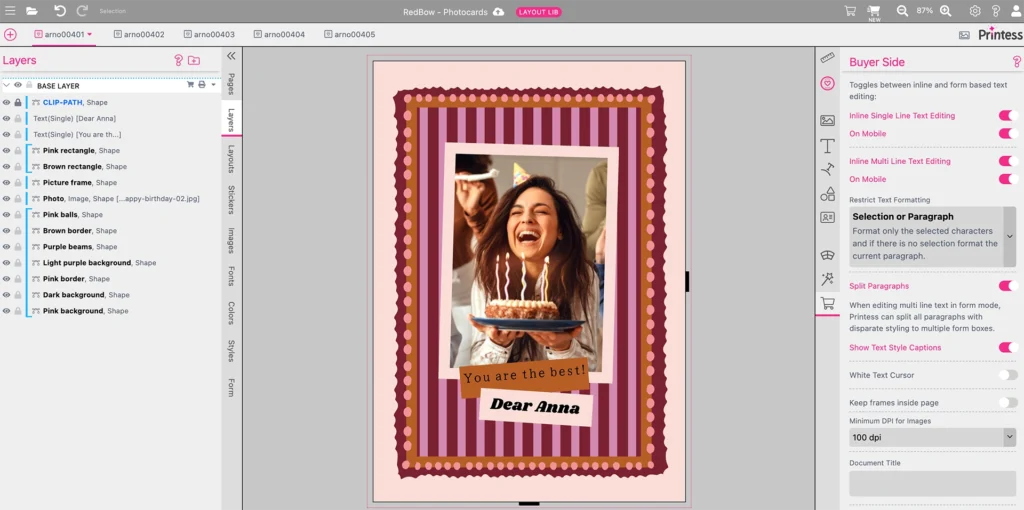
Printess of several components. Two important components are the "Printess " and the "Printess Side." The Designer is used to create new templates and maintain existing ones. The Buyer Side is what the visitor sees from the browser—regardless of device—to personalize the item in question. In this article, we will zoom in on the Designer and the possibilities with regard to templates.
Template types - The challenge
Suppose your organization wants to allow its online to personalize a few hundred items, in this example greeting cards. There are A4, A5, A6, and A7 greeting cards, portrait and landscape, single-sided and double-sided. And each greeting card has its own design. That quickly adds up to several thousand items. However, there may also be many objects that are the same for each type of greeting card. Fonts and colors that the visitor can choose and perhaps certain icons/stickers and other objects. The output, for example a high-resolution file in PDF format for groups of items, is also the same. In this case, based on format, orientation, and single or double-sided.
To make this possible and, above all, to make it manageable, Printess offers Printess types of templates. Different types of templates, each offering a specific functionality and which can be 'linked' to each other.
Standalone template
The Standalone Template is the template that visitors see on the Buyer Side to personalize the item in question. This template contains both the Input and the Output for production. Optionally, a powerful Preview feature can also be included so that visitors can see what the final item will look like.
Optionally, the Standalone Template can contain numerous specific objects that visitors can or cannot change. These include fonts, colors, and icons/stickers. Certain functions and controls can also be included, such as a button that automates a specific action. Input and selection fields can also be included. All these objects and functions work seamlessly together in this Standalone Template.
In most environments, certain functions and objects must also be available in other Standalone Templates for completely different items. If these functions and objects were to be included in every Standalone Template, managing them would be virtually impossible. Especially when it comes to hundreds, let alone thousands, of items. The solution? Read on.
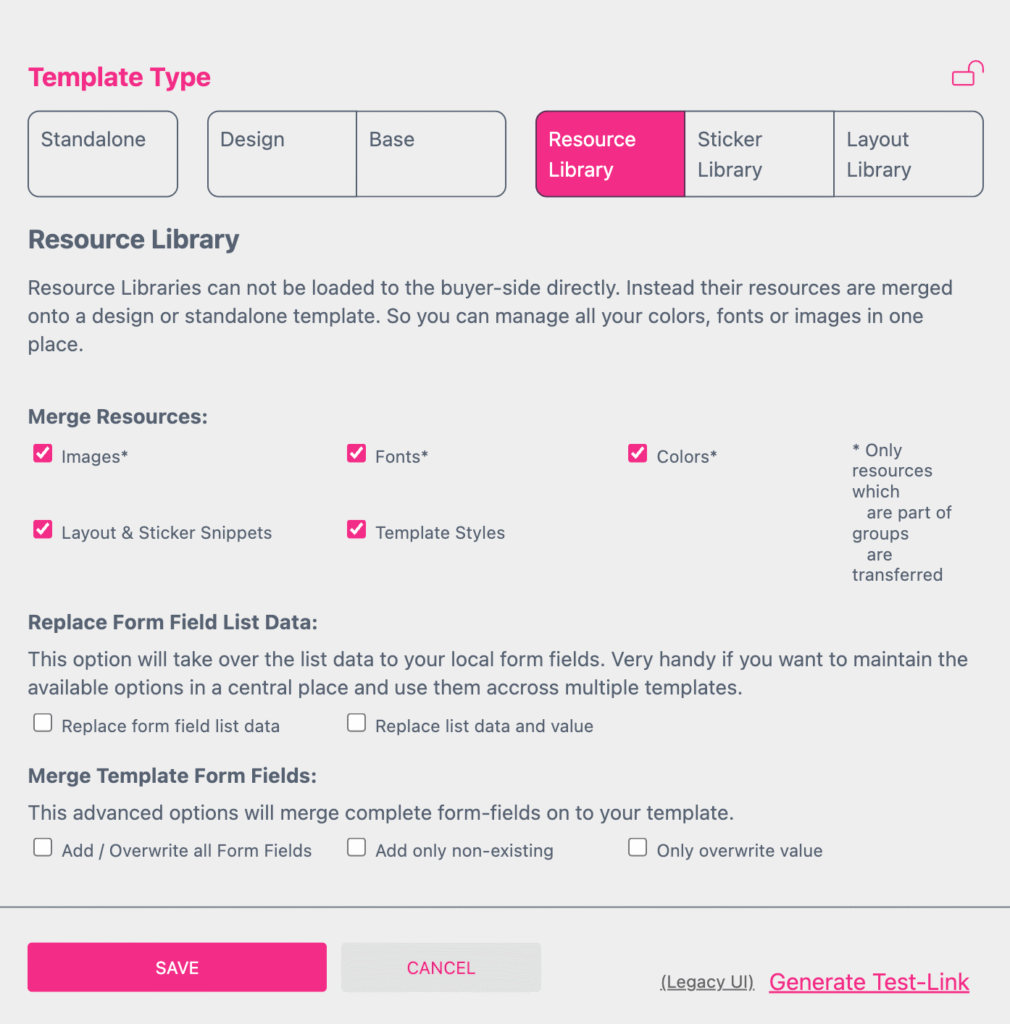
Resource Library
The Resource Library is a type of template that can contain resources that can be maintained centrally and made available locally. Suppose we want to make a wide range of fonts available to visitors in our greeting card example mentioned earlier. One solution would be to include these fonts in the Standalone Templates for all these greeting cards. However, if we then want to add a font, we have to add it to all the individual Templates. Apart from the risk of errors, we don't have the time for this and it's a job we don't want our specialists to do either. They have much more important things to do. The solution is a Resource Library. This allows us to store and manage all fonts centrally. We can then share these across all relevant standalone templates.
For example, a Resource Library can contain not only fonts but also one or more of the following objects.
- Images;
- Fonts;
- Colors;
- Color schemes;
- Lists;
- Tables (databases);
- Layouts (templates);
- Stickers;
- Form Fields;
- Template Styles.
These objects are not explained further in this article; we will focus on the different types of templates. All these objects can be stored decentrally in one or more resource libraries. These resource libraries can then be linked to the desired standalone templates. This not only creates a wealth of possibilities, but also, and above all, keeps the environment clear and manageable.
Sticker Library
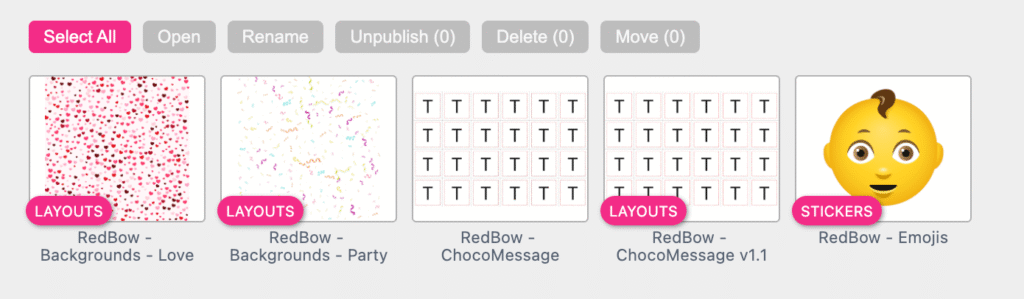
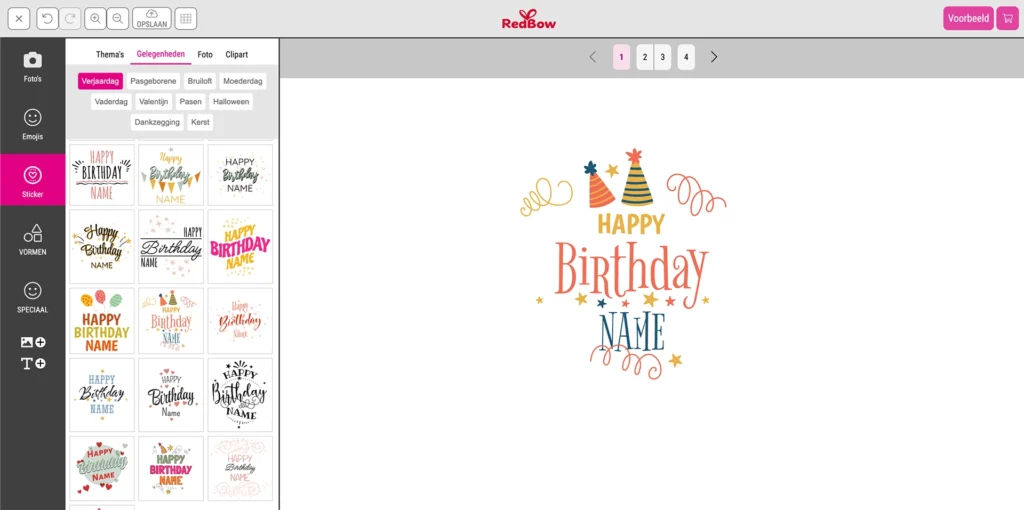
Stickers are small objects that visitors can add to a design. See the examples below. Stickers can consist of multiple elements, such as shapes, subdocuments, and static or even editable image or text frames. Visitors can easily place stickers and, depending on the sticker, adjust properties such as colors and/or text. This is a powerful feature that allows visitors to further enrich the design.
Stickers are often available in different categories, such as Mother's Day, Father's Day, birthdays, Sinterklaas, or Christmas. Or they can be classified like emojis: People, Nature, Smileys, Flags, etc. Stickers can be assigned one or more "Tags." These Tags function like the categories mentioned above, making it easy for visitors to find and use them. All possible Stickers can be placed in one or more Sticker Libraries, which can then be linked to any desired Standalone Libraries.
Layout Library
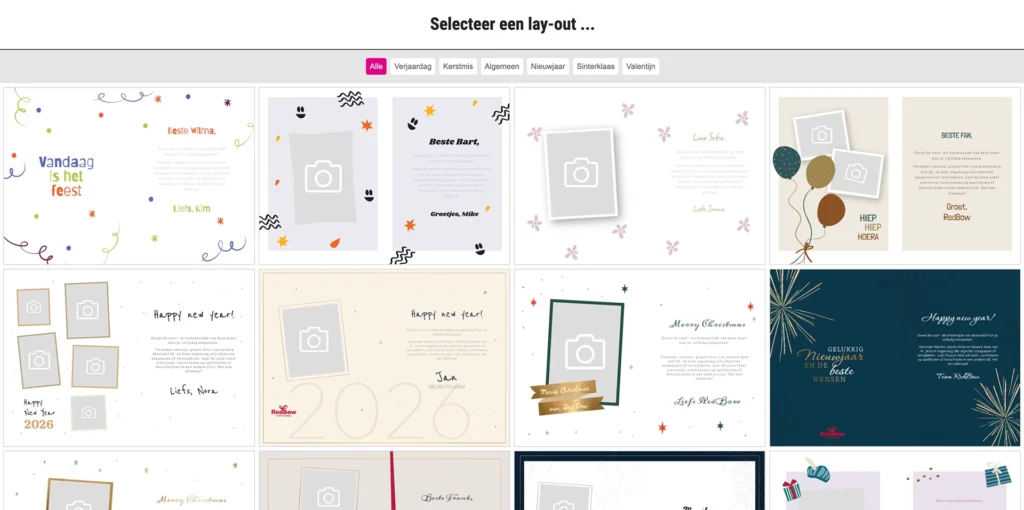
For many types of items, it is desirable for visitors to be able to choose a predefined design, known as a 'template'. Within Printess , a layout, or template, is Printess just the layout of the design. A layout can also contain all kinds of objects, such as a title in a specific font and color, a background pattern or photo, and so on. Here too, the greeting card is a good example. The layout can be the design of the entire greeting card, inside and out, with the visitor then only needing to change the text and/or photo.
Within a Layout, it can be determined for each object whether it can be modified by the visitor and to what extent. For example, in the case of a text block. Can only the text content be modified, or also the font, color, alignment, line spacing, and so on? In the case of a photo, can the visitor only place a different photo, or can the photo also be moved, resized, deleted, and so on?
A Layout Library is a library of templates that visitors can choose from to quickly create an attractive design for the item in question. Just like Stickers, Layouts can also be assigned one or more 'Tags' to make it easier for visitors to select the template they want.
A Layout Library can then be "linked" to one or more Standalone Templates. Visitors can then choose the desired template from these templates.
Resume
Printess a personalization solution suitable for any type of offering, whether it involves a few items, hundreds, or thousands. Template Management is Printess particularly extensive topic within Printess , and given its importance, a great deal of attention has been devoted to it. In the run-up to a new implementation, this is also an important part of the plan to be made in advance. The better the distribution of all these objects is taken into account, the easier it is to manage and grow the environment.
GIFT: Standard templates for personal use
A gift at the end of this article. Printess standard with a very extensive library of templates. Both standalone templates for a multitude of items such as greeting cards, T-shirts, packaging, etc., as well as extensive sticker libraries. All these templates can be used 1:1 royalty-free or serve as a basis for further customization for your own items.